
Large decorative analog wall clock above a sofa in a living room

Atomic Wall Clocks: Check Time Zones and Manual Modes

Choose an atomic wall clock by its supported time zones, reception conditions, and manual-setting options—not by the atomic label alone. A U.S. WWVB clock corrects its own time from a radio signal. Before buying, check whether you can disable radio correction and what happens when reception returns.

Which controls should you check before buying?

Check three things first: whether your time zone is supported, whether you can turn radio correction off, and whether the controls remain accessible after mounting. A manual time-setting button does not necessarily provide a permanent manual mode.

The examples below come from one manufacturer because their documents demonstrate different control paths. This is an unranked comparison of documented behavior, not a market-wide best list, a stock check, or a test of reception in your home.

Which controls should you check before buying?Show detailsHide details
Compare exact models, their limits and buying options
Exact U.S. modelDisplay and powerDocumented zone choicesManual-time boundaryBuying options
La Crosse WT-3102S Analog; 10-inch case; one AA alkaline battery Pacific, Mountain, Central, Eastern You can set time manually, but a later radio update overrides it. Check on Amazon
La Crosse 513-1417V6 Digital; 2.125-inch time digits; two AA batteries in the clock Atlantic, Eastern, Central, Mountain, Pacific, Alaska, Hawaii The settings menu includes Atomic On/Off. Atomic Off skips the radio-zone settings and continues to manual hour setting. Read model notes
La Crosse 404-1235UA-SS Analog; 14-inch case; at least two C batteries Four named U.S. zones plus the manual’s limited custom-hour range Q-Mode keeps manually selected time without WWVB correction. Do not confuse it with the normal radio-controlled mode. Read model notes

Sources:

A larger case is not necessarily easier to read. Check dial contrast and the actual viewing position separately. A choice in the zone menu also does not guarantee radio reception at that location.

Person seated across a living room from an analog wall clock

How do the three manual-setting paths differ?

Check whether later radio correction can replace the time you set. Choose a documented radio-off mode when you need the clock to remain independent of received corrections.

WT-3102S

WT-3102S: a manual setting that radio reception can replace

The setup guide directs the owner to select the time zone and daylight-saving setting before inserting the battery. It allows up to five nights for reception; that is guidance for this model, not a universal waiting period for every atomic clock. A later successful reception replaces its manual time setting.

Use this example for a listed zone when automatic correction is the goal. Do not choose it on the assumption that a manually entered offset will remain untouched. Keep the battery compartment and controls reachable during your initial setup check.

Check before buying: You can set time manually, but a later radio update overrides it.
513-1417V6

513-1417V6: an explicit Atomic Off setting

This exact revision includes an Atomic On/Off menu setting. With radio time enabled, its menu offers seven named zones. With Atomic Off selected, the menu moves to the hour setting rather than continuing through the radio-related zone choices.

Match the V6 identifier and received controls to the manual. Instructions for a different 513-1417 revision are not automatically interchangeable. The product page lists a 12-hour display; do not infer a 24-hour option simply because the clock is digital.

Check before buying: Instructions for a different 513-1417 revision are not automatically interchangeable.

404-1235UA-SS

404-1235UA-SS: Q-Mode is separate from custom radio time

Its manual distinguishes custom-zone radio time from Q-Mode, which runs without WWVB correction. The custom radio setting is described as whole-hour choices from GMT+0 to GMT−11, not an unrestricted promise of every world time zone.

Use the specific Q-Set/Q-Run instructions: the switches have different roles in this mode. This guide does not apply that switch sequence to another clock. Eco Mode is different again—it pauses second-hand movement from 11 p.m. to 5 a.m., not proof that the entire clock is silent.

Check before buying: Q-Mode keeps manually selected time without WWVB correction. Do not confuse it with the normal radio-controlled mode.

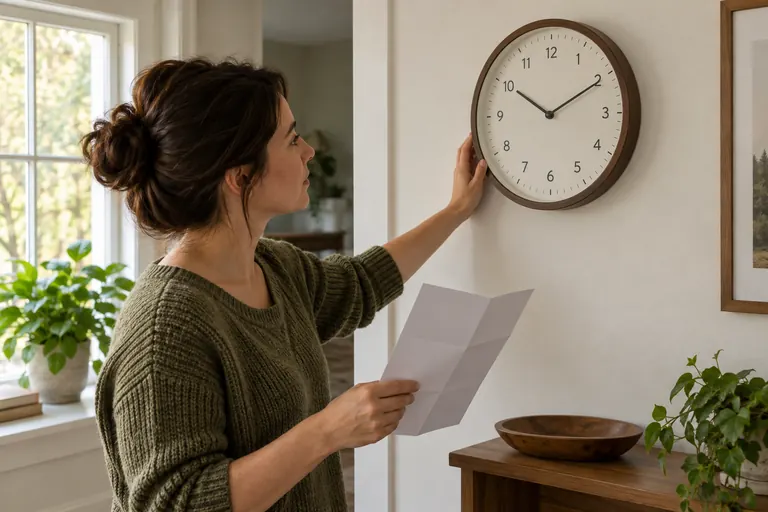
Person holding a leaflet while reaching toward a wall clock

What does an atomic wall clock actually do?

A consumer atomic wall clock receives reference time; it does not contain a laboratory atomic clock. NIST broadcasts WWVB at 60 kHz from near Fort Collins, Colorado. The clock uses its own quartz movement between successful updates.

An atomic time signal is not Wi-Fi, an app connection, or the radio link from an outdoor temperature sensor. When a listing says “wireless,” check which receiver and control path the exact model actually uses.

Round analog wall clock mounted between a doorway and a bookcase

How can you tell whether time reception worked?

Check the exact model’s reception indicator or documented synchronization behavior. Correct-looking time after manual entry is not, by itself, evidence of a successful radio update.

For 513-1417V6, the manual describes a flashing atomic indicator during a search and a solid indicator after connection. Outdoor-temperature readings use a separate sensor path; receiving them does not establish WWVB synchronization.

Keep a small record during setup: the model and revision, selected zone, daylight-saving setting, placement, reception indicator, and displayed time before and after the overnight opportunity. Do not publish that personal observation as a measured accuracy specification.

For an analog clock, use its documented startup behavior. Avoid repeatedly moving the hands or resetting it while a search is still in progress. A stopped second hand can also have a model-specific meaning, so consult the manual before treating it as a failed movement.

Person holding a round paper outline against a wall before hanging a clock

Why is an atomic wall clock not syncing or showing the wrong hour?

Separate a zone-setting problem from a reception problem before changing controls. A consistent whole-hour offset calls for checking the selected zone and daylight-saving setting; failure to receive calls for checking power, placement, and the model’s search procedure.

Why is an atomic wall clock not syncing or showing the wrong hour? Show detailsHide details
What you observeFirst checkWhat it does not establish
Minutes look right but the hour is wrong Selected zone and daylight-saving setting That the radio receiver or movement is broken
No confirmed synchronization Batteries, radio-enabled setting, placement, and allowed search time That every atomic clock will fail in the building
Temperature updates but time does not synchronize The clock’s atomic indicator and separate time-reception instructions That the outdoor sensor supplies reference time
Manual time changes after a later update Whether the model can disable radio correction That every manual setting is a radio-off mode

NIST recommends checking batteries, changing the clock’s orientation, and trying a suitable position near a window. Electronic interference and building materials can obstruct reception. Give the model an overnight opportunity without repeated resets, following its own instructions. Keep an indoor clock dry and within its permitted placement conditions.

If reception still fails, use a documented manual mode or contact the manufacturer with the exact model and observations. Do not force the hands or invent a reset sequence from a similar-looking clock. For current transmission notices, consult NIST’s WWVB information rather than assuming every local failure means a broadcast outage.

When is a manually set quartz clock the better fit?

A manually set model is worth considering when you do not need automatic corrections or cannot obtain reliable reception where the clock must go. You can then choose display, sound, and controls without treating a radio feature as mandatory.

Return to the Wall Clocks comparison for non-radio examples. Compare movement sound and chime controls independently of timekeeping technology. For a patio or exterior wall, use the outdoor placement checks; a wireless outdoor sensor does not make an indoor display weatherproof.

Analog wall clock in a softly lit bedroom

Check the exact offer before ordering

Match the model, finish, revision and included parts to the option you chose. Compare the seller’s checkout total and return terms; a familiar brand name or similar photo does not establish an identical clock.

Model notes remain available when no verified seller link is shown. A listed feature describes the product documentation, not a hands-on test or a promise of stock.

Atomic wall clock questions

Zone selection, radio reception, and manual operation are separate checks. These answers apply to the documented examples rather than every product sold under an atomic label.

Can a wall clock be both quartz and atomic?

Yes. A consumer radio-controlled clock uses its quartz movement between updates from a reference time signal. The atomic label does not mean there is an atomic oscillator inside the case.

Can a wall clock be both quartz and atomic?

Does a WWVB wall clock need Wi-Fi or an app?

WWVB time reception uses a radio signal, not your Wi-Fi connection. The three documented examples here have local controls. Do not transfer that conclusion to a different clock simply because its listing says smart or wireless.

Does a WWVB wall clock need Wi-Fi or an app?

Can I keep an atomic wall clock on a manually selected time?

Only when its documented controls support the behavior you need. Later radio reception overrides manual time on WT-3102S, while 513-1417V6 offers Atomic Off and 404-1235UA-SS has a Q-Mode that ignores the WWVB signal. Use the matching manual rather than a generic reset sequence.

Can I keep an atomic wall clock on a manually selected time?

Does an Alaska or Hawaii setting guarantee reception there?

No. A time-zone option controls the time displayed; it does not certify reception in a particular location or building. Check the model’s zone list and whether its manual fallback remains usable where you plan to put it.

Does an Alaska or Hawaii setting guarantee reception there?

Do working outdoor-temperature readings prove the clock has synchronized?

No. On 513-1417V6, the outdoor sensor connection and the WWVB time receiver are separate systems. Check the atomic time indicator, not just the temperature reading.

Do working outdoor-temperature readings prove the clock has synchronized?

Are atomic wall clocks silent?

Atomic describes time correction, not movement sound or chime behavior. Check those specifications separately, and listen to the delivered clock in the intended room. This guide does not contain acoustic measurements.

Are atomic wall clocks silent?

Analog clock beside an open notebook and folded leaflet

Sources and review limits

The technical source review below remains dated October 1, 2026. Buying-option records were assessed separately on October 8, 2026; an incomplete or unverified offer is not treated as an available purchase. No physical product testing is claimed.

This guide compares manufacturer documentation and NIST guidance, not physical reception, acoustic, or accuracy tests. Source review: October 1, 2026. No prices, numeric product ratings, stock guarantees, or claims about the current WWVB outage status are included.

The 513-1417V6 product page and linked manual disagree on case dimensions and sensor range; those figures are not used here. For 404-1235UA-SS, the manual’s defined custom range is used instead of a broader world-time claim. Check the received revision and matching instructions before relying on a feature.

Read how TOPCLOCKS labels evidence. Send a correction through Contact with the page, model, disputed statement, and supporting document.